

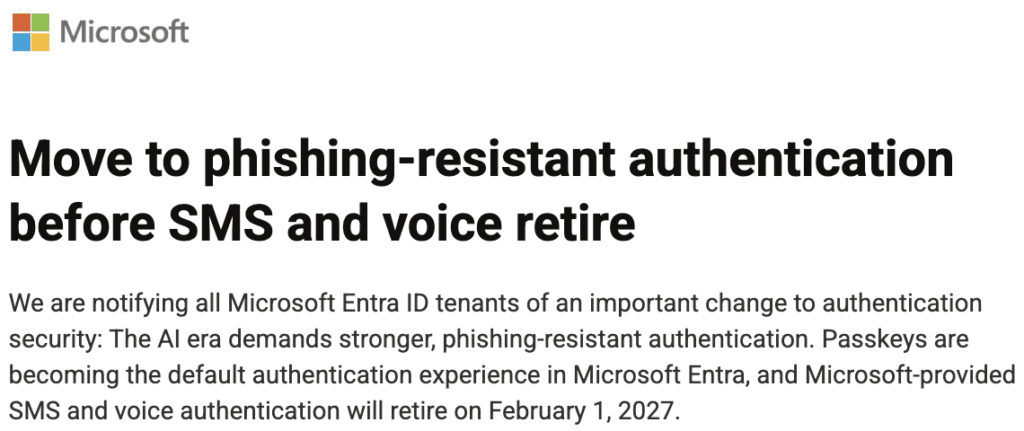
Microsoft has issued an important notice to all Microsoft Entra ID (formerly Azure AD) tenants: Microsoft-provided SMS and voice authentication will be fully retired on February 1, 2027.
Beginning September 1, 2026, passkeys will become the default authentication method across Entra ID. Users still relying on legacy text messages or phone calls will face automatic prompts to register a passkey during sign-in. After February 1, 2027, users without a passkey or alternative MFA method will encounter a hard blocking prompt until they register one.
For cybersecurity leaders and IT teams, this move is welcome news. Telephony-based MFA (SMS and voice codes) has long been vulnerable to SIM-swapping, AitM (Adversary-in-the-Middle) phishing proxies, and social engineering attacks.
Failing to manage this transition proactively risks operational disruption, helpdesk overload, and enterprise confusion.
The Big Picture: Why Passkeys Win
Passkeys (built on the FIDO2/WebAuthn standard) remove the concept of shared secrets. A passkey binds a public key to the service (such as Entra ID) and keeps the private key locked inside hardware like a laptop’s Secure Enclave/TPM, a dedicated hardware key (e.g., YubiKey), or an enterprise password manager.
Because the private key never leaves the device and is cryptographically tied to the actual website domain, passkeys are fundamentally phishing-resistant. An attacker cannot trick a user into typing a code into a fake login screen because there is no code to enter.
However, “passkey enforcement” brings real-world technical and operational nuances that IT departments must prepare for.
What Most IT Departments Overlook About Passkeys
While turning on passkeys in Entra ID takes just a few clicks, managing client experiences across an entire workforce requires foresight.
1. Where Passkeys Live Matters
Passkeys can be established in platform keychains (iCloud, Google, Windows Hello), password managers (1Password, Bitwarden Enterprise), or physical hardware keys (YubiKeys).
- Platform Sync: If an employee registers a passkey in their personal Apple or Google account, corporate credentials can drift into unmanaged personal keychains.
- Hardware-Bound: Hardware keys offer maximum protection (AAL3/NIST compliant), but if the key is lost or broken, the credential is gone forever.
2. Cross-Device and Prompting Nuances
When a user visits an application on Computer A and registers a passkey, what happens when they switch to Computer B?
- Synced Passkeys: Automatically sync via enterprise password managers or platform vaults, enabling instant login on Computer B.
- Unsynced/Cross-Device (FIDO Hybrid): Computer B displays a QR code. The user scans it with their registered smartphone, using local Bluetooth proximity to log in securely without transferring the key.
3. The “Device Failure” Problem
What happens when a primary device fails or a physical YubiKey breaks? Without a planned recovery workflow, users get locked out, surging helpdesk ticket volumes.
Key Dates Every IT Leader Needs to Mark
| Milestone Date | What Happens | Action Required |
| September 1, 2026 | Passkeys become the default experience in Entra ID. SMS/Voice users will be nudged to register passkeys upon sign-in. | Audit active SMS/voice users now. Build a communications plan before automated prompts begin. |
| September 18, 2026 | Microsoft publishes third-party telecom partner options and pricing in the Security Store. | Evaluate if any edge-case devices genuinely require paid, third-party SMS delivery. |
| October 30, 2026 | Third-party telecom provider configuration opens in Entra ID. | Set up third-party carriers only for verified regulatory or legacy hardware exceptions. |
| February 1, 2027 | Hard Enforcement. Microsoft-provided SMS and voice are fully shut down. Unmigrated users face mandatory login blocks. | Ensure 100% of workforce relies on phishing-resistant MFA or alternative options. |
Bound Planet’s Strategy for Enterprise Passkey Management
Do not let Microsoft’s September 1, 2026 auto-enablement date dictate your user experience. Taking control of your passkey architecture early ensures a smooth rollout.
Step 1: Audit and Categorize Your Users
Pull sign-in logs from Entra ID immediately to identify every employee still using SMS or Voice. Categorize them by role, device type, and department.
Step 2: Establish Corporate Passkey Boundaries (AAGUIDs)
Prevent credential sprawl by enforcing policy at the IdP level:
- Control which passkey providers are allowed using AAGUID (Authenticator Attestation GUID) filtering.
- Restrict passkey creation to managed devices or enterprise-sanctioned password managers to prevent passkeys from being saved to personal consumer accounts.
Step 3: Implement Phishing-Resistant MFA Across the Board
Tier your authentication methods based on risk:
- Standard Employees: Managed platform passkeys (Windows Hello for Business, Touch ID) or Enterprise Password Manager vaults.
- High-Privilege Users (Admins, Executive, Finance): Mandatory, hardware-bound security keys (e.g., YubiKeys) with FIDO2 attestation enforced.
Step 4: Engineer Self-Service Recovery
Prepare for device loss before it happens. Implement Temporary Access Pass (TAP) workflows within Entra ID. Ensure helpdesk teams have strict identity-verification protocols before issuing temporary bypass credentials.
Don’t Wait for the Deadline | Act Now
Transitioning an enterprise to phishing-resistant authentication takes 3 to 6 months when factoring in policy planning, hardware procurement, helpdesk training, and end-user change management.
Waiting until January 2027 will lead to user friction, helpdesk bottlenecks, and potential sign-in lockouts.
Bound Planet is here to help. Whether you need an audit of your Microsoft Entra environment, an enterprise passkey architecture strategy, or support transitioning away from legacy MFA, our advisors can guide you every step of the way.
Contact Bound Planet Today to schedule a Passkey Readiness & Identity Assessment.